Step by step
How to claim your center
Claiming takes a few minutes — no contracts, no credit card. Here's exactly what you'll see, from search to editing your live site.
-
01
Find your center
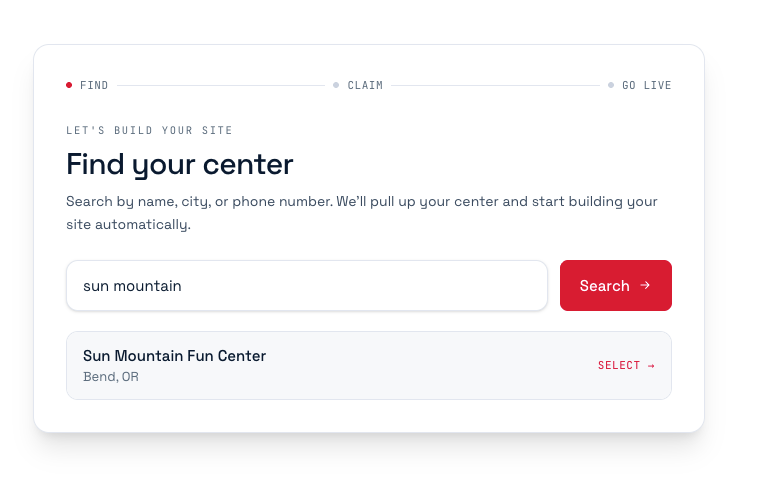
Head to BowlRx Express and search your center by name, city, or phone number. Pick it from the list — the whole US directory is already loaded, so it's almost certainly there.
-
02
Confirm it's your center
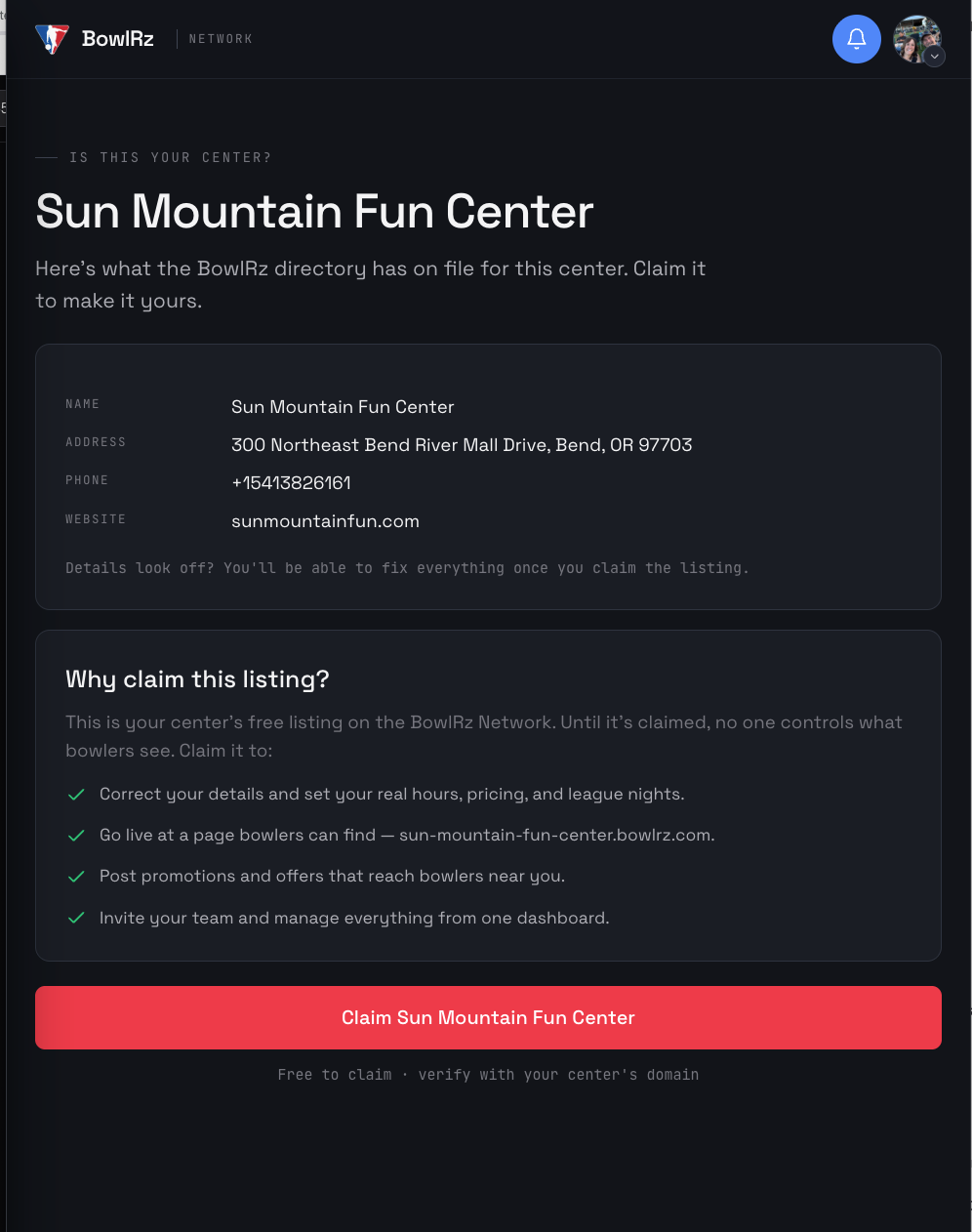
Check the details we have on file — name, address, phone, and website — then tap Claim. Anything that looks off, you'll be able to fix once the listing is yours.
-
03
Say “Let's go”
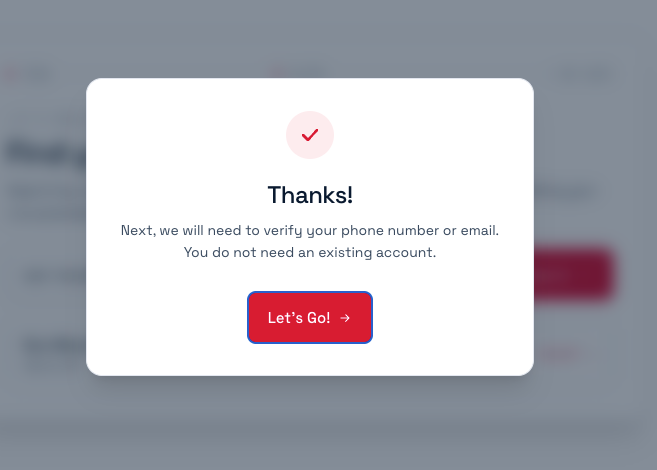
We confirm we found you and let you know the next step is a quick verification. There's nothing to pay and no existing account required — you'll make one in seconds.
-
04
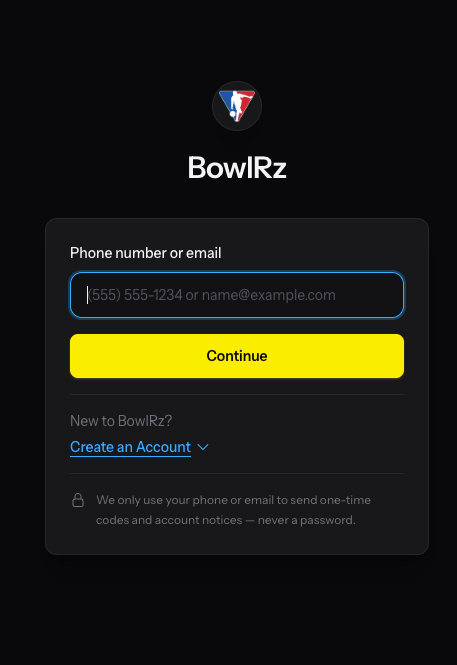
Sign in — no password
Enter your phone number or email. BowlRz signs you in with a one-time code instead of a password. New here? Create your account right on this screen.
-
05
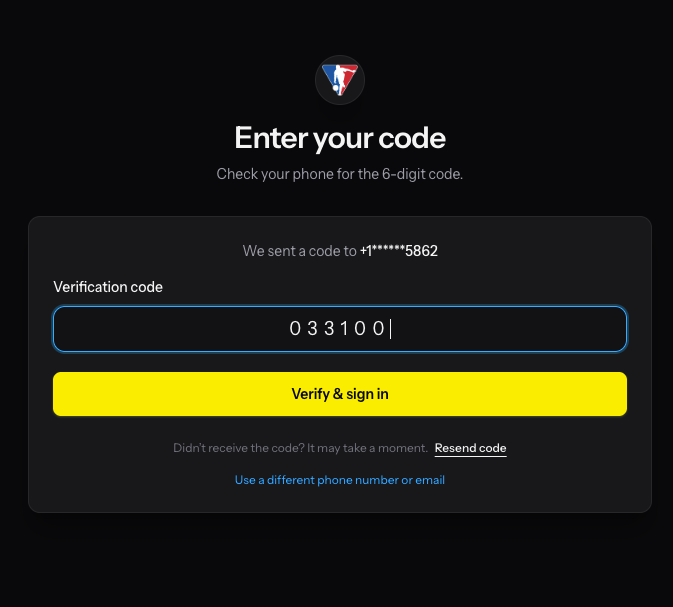
Enter your code
We text or email you a six-digit code. Type it in to finish signing in — it takes a few seconds.
-
06
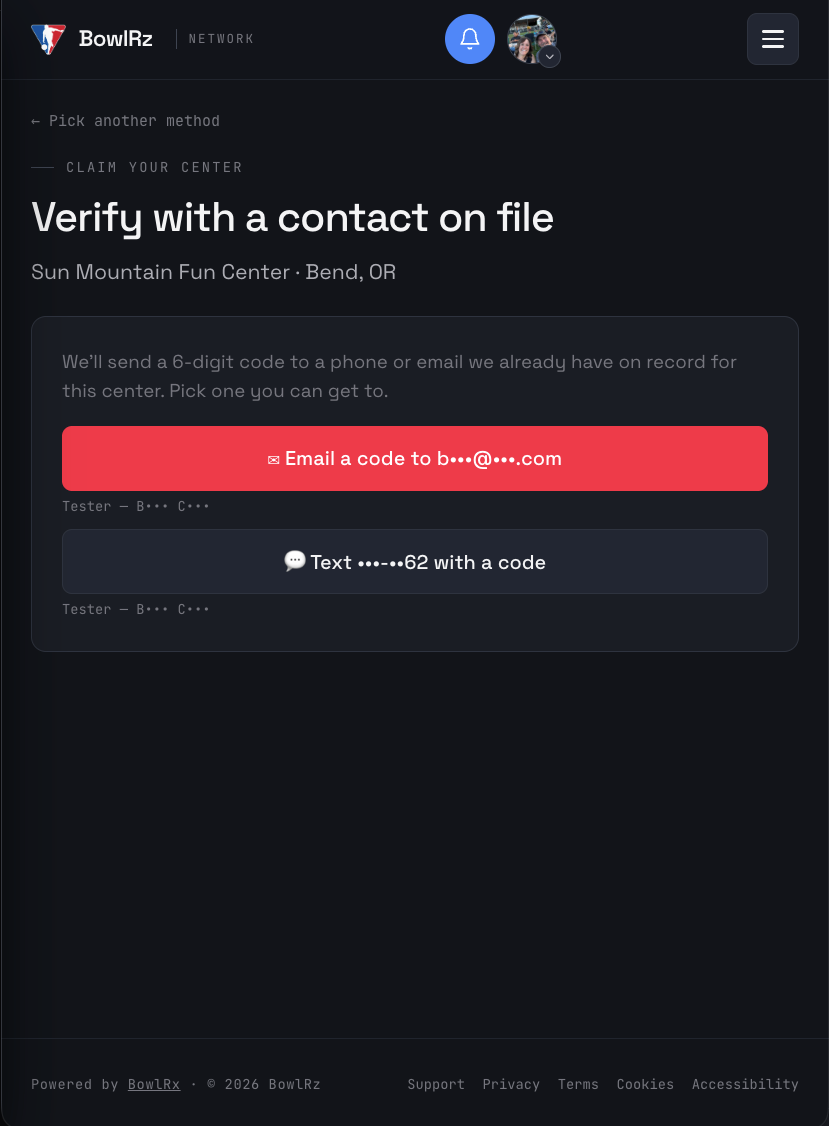
Prove you run the center
Verify you're the owner. The quickest way is a code sent to a phone or email already on file for your center. You can also verify with your website domain or a DNS record.
None of those reachable? Email carey@ebowl.biz and Carey can add your contact — connecting your BowlRz ID to your new site.
-
07
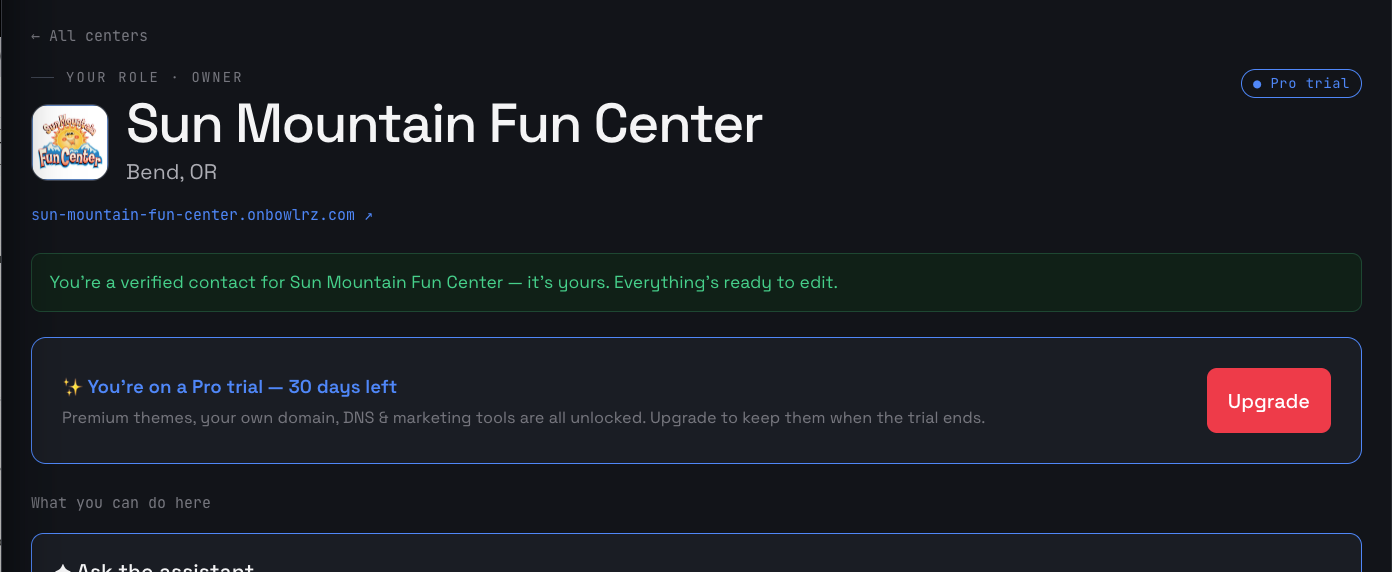
You're verified — start editing
That's it — the center is yours. Your free 30-day Pro trial starts right away, and you can edit your site, hours, photos, and deals whenever you like.
Ready to claim yours?
Find your center and start your free 30-day trial — you'll be editing in minutes.